
How can I change my credit card information?
◆◆You can change your credit card information for payment at any time from My Page.◆◆
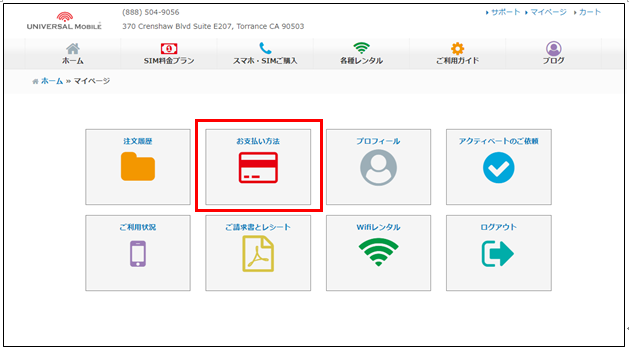
After logging in to My Page at the top right of the UNIVERSAL Mobile website, please change your information under Payment Method.
https://universalmobile.us/mypage/login?redirecturl=/mypage
We accept credit cards and debit cards issued in the United States or Japan.
(VISA, MasterCard, American Express, JCB)
※ Depending on the card issuer, some debit cards may not be accepted.
※ Payment processing is conducted within the United States. If you use a credit card issued outside the United States, your card issuer may charge an additional fee. Please contact your credit card issuer for details.
※ When you change your credit card information, a temporary authorization of $1 may be made to verify that the card is valid and that the card number is correct. This is only a temporary authorization and will not result in an actual charge. The authorization will be canceled within approximately 3–5 business days.
If you later check your statement and find that you have actually been charged $1 by UNIVERSAL Mobile,
please contact our customer support team below.
Contact Information:
UNIVERSAL Mobile Customer Support
Email: customer@universalmobile.us
Phone: 888-504-9056
Was this article helpful?
Thank you for your feedback!