
Back to FAQ List
How to Check Your EID and IMEI Numbers
① The number is printed on the back of the box that contained your smartphone.
② Open the phone dialer and enter “*#06#” to display your EID and IMEI numbers.
③ You can also check your EID and IMEI numbers in your smartphone’s Settings.
▼ For Android devices
Go to “Settings” → “More” or “Wireless & Networks” → “SIM information settings,” then check the information from the menu.
▼ For iOS devices (iPhone)
Go to “Settings” → “General” → “About” to check the information.
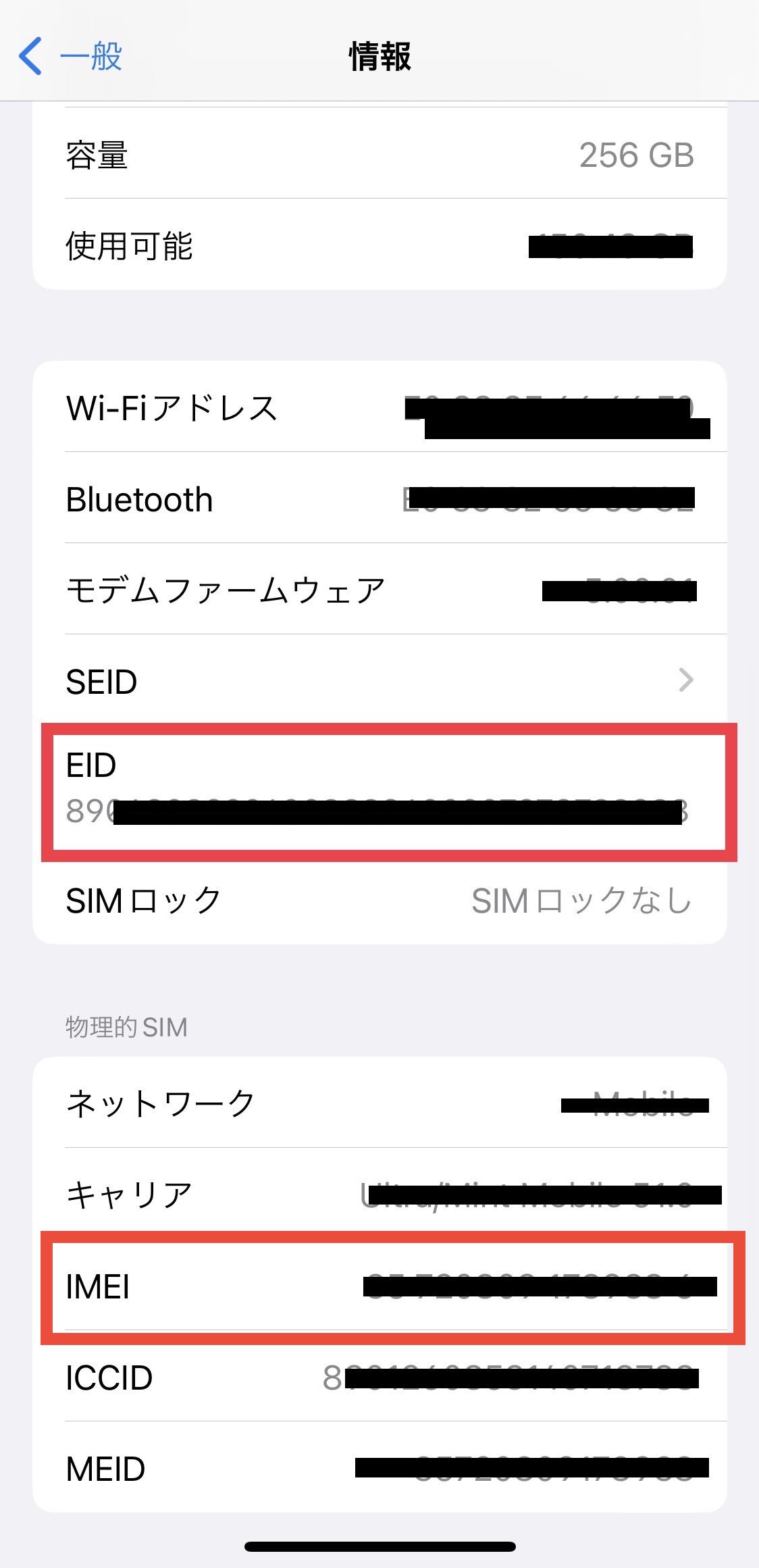
※If your EID is not displayed, your device does not support eSIM (digital SIM).
Was this article helpful?
Thank you for your feedback!