
Back to FAQ List
What Should I Do If I Cannot Log In to My Page?
If you have forgotten your My Page login password, you can reset it by following the steps below.
Click here to reset your password.
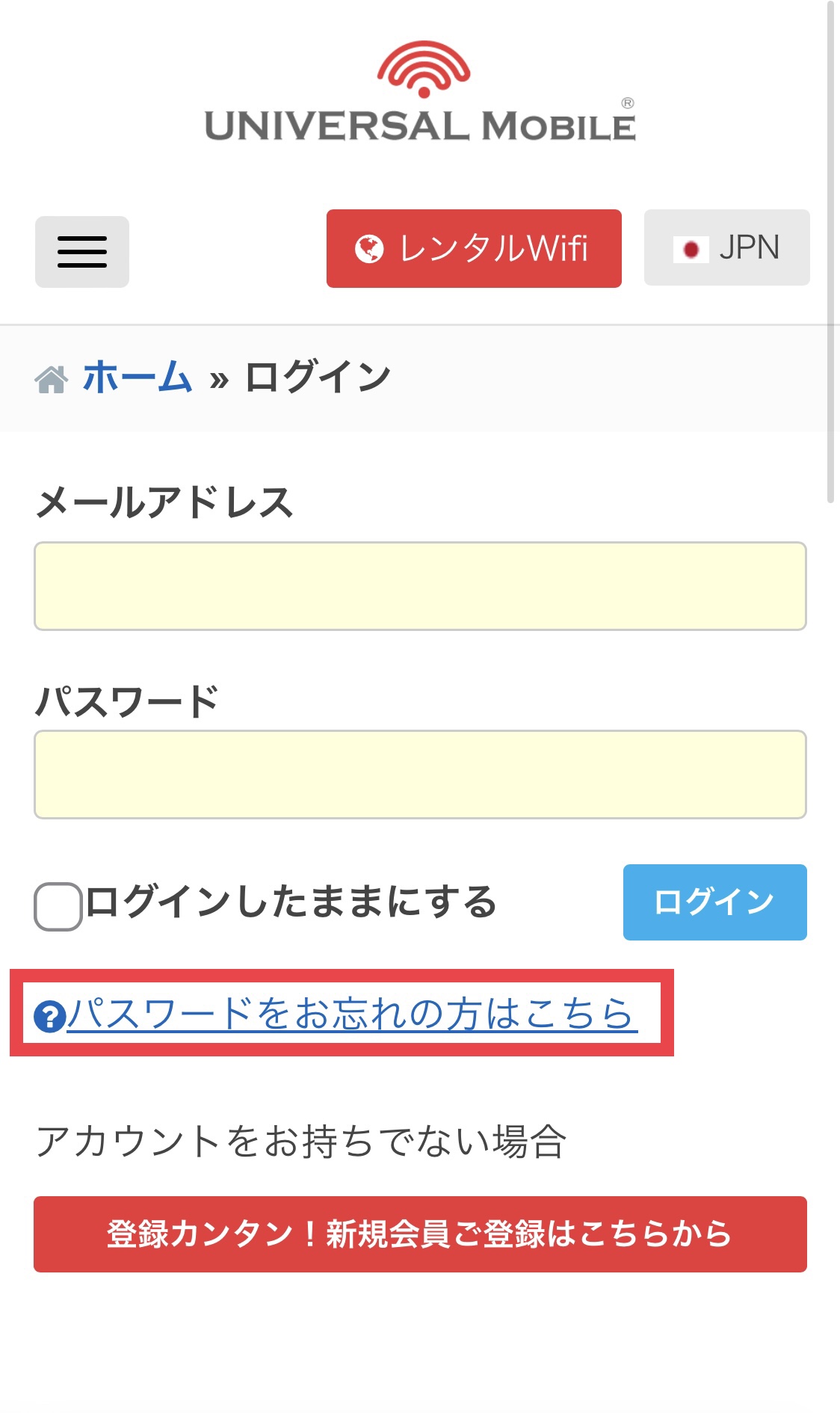
Step 1: Tap "Forgot Password?"
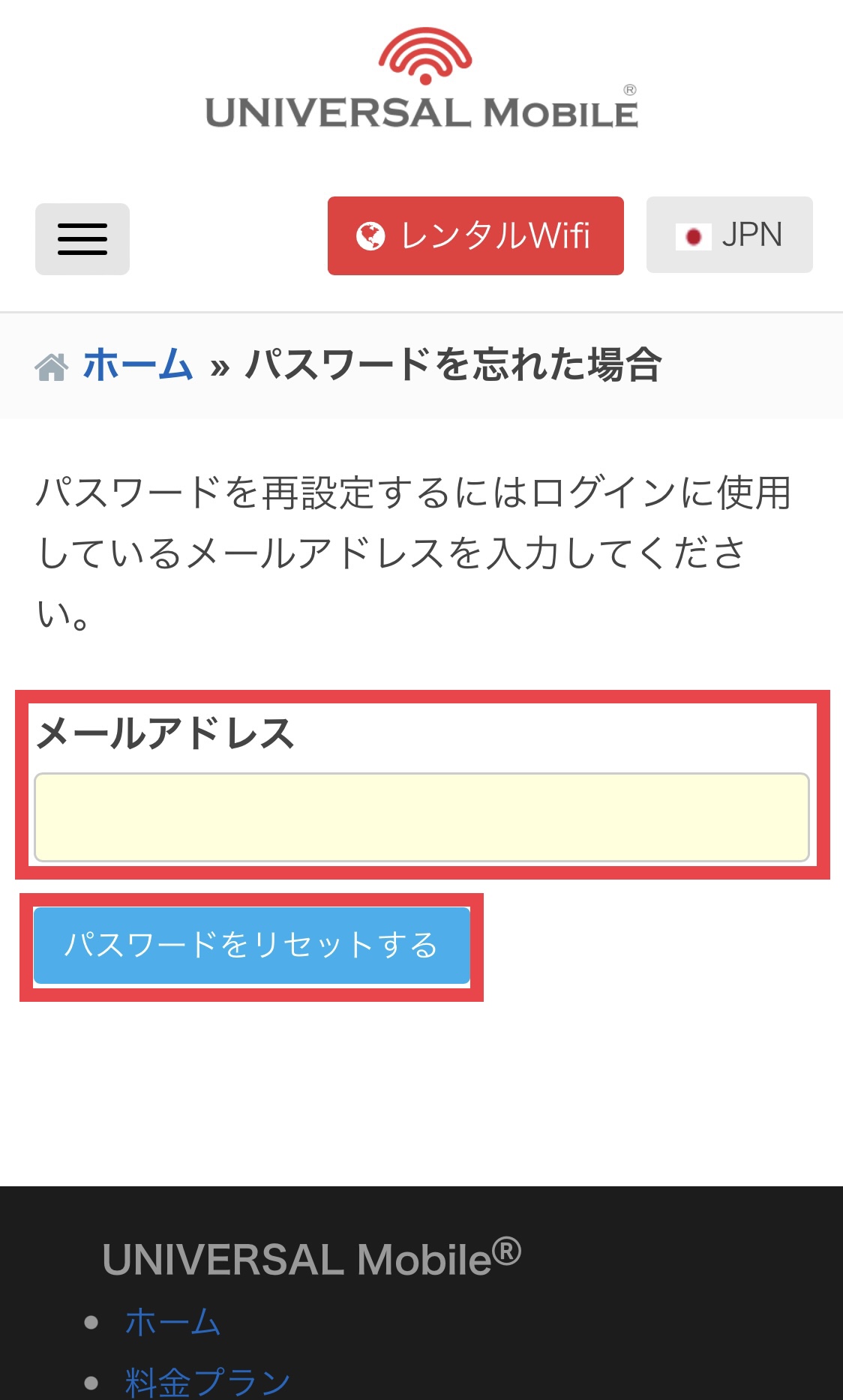
Step 2: Enter your email address and tap "Reset Password"
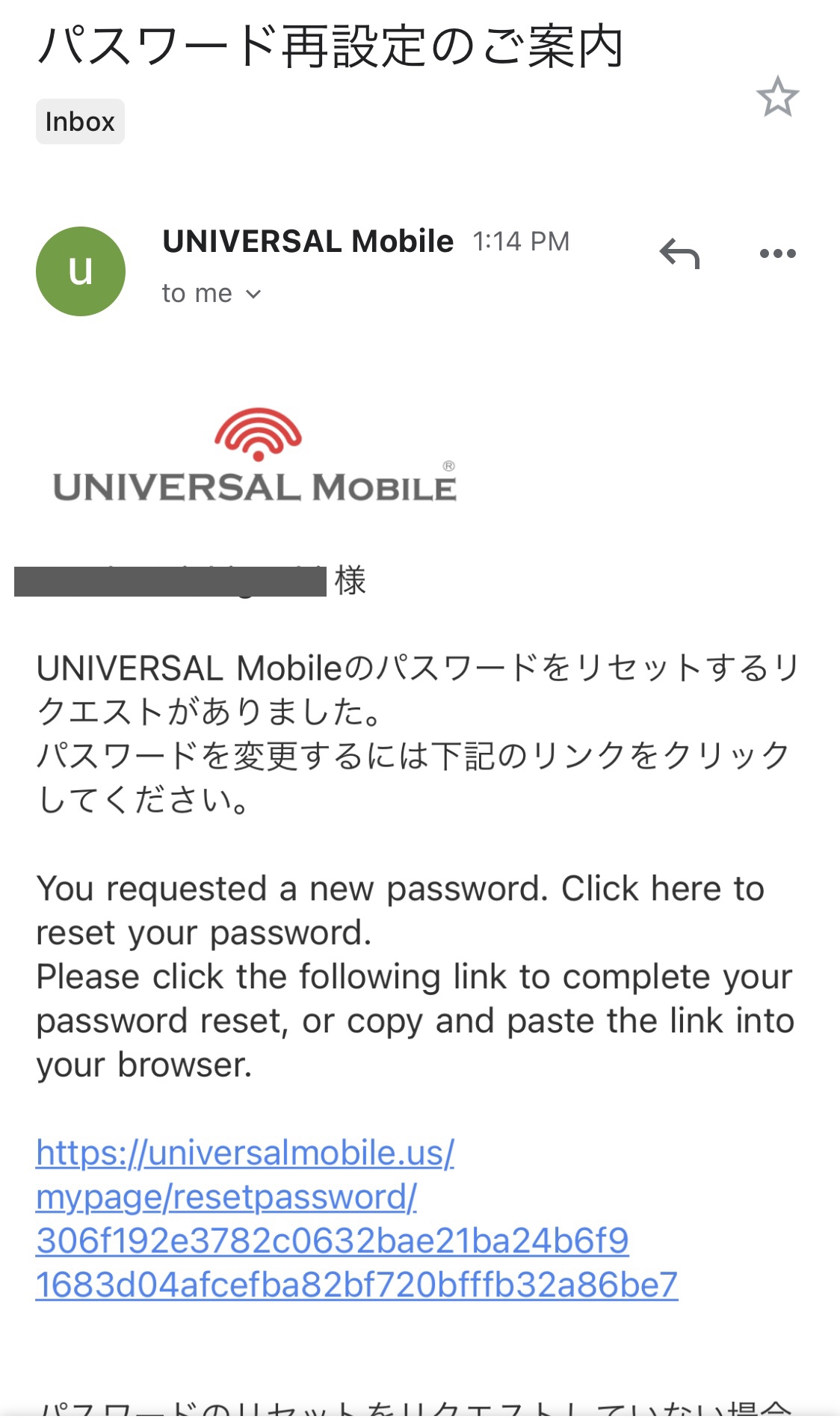
Step 3: Open the password reset email you received and click the link provided
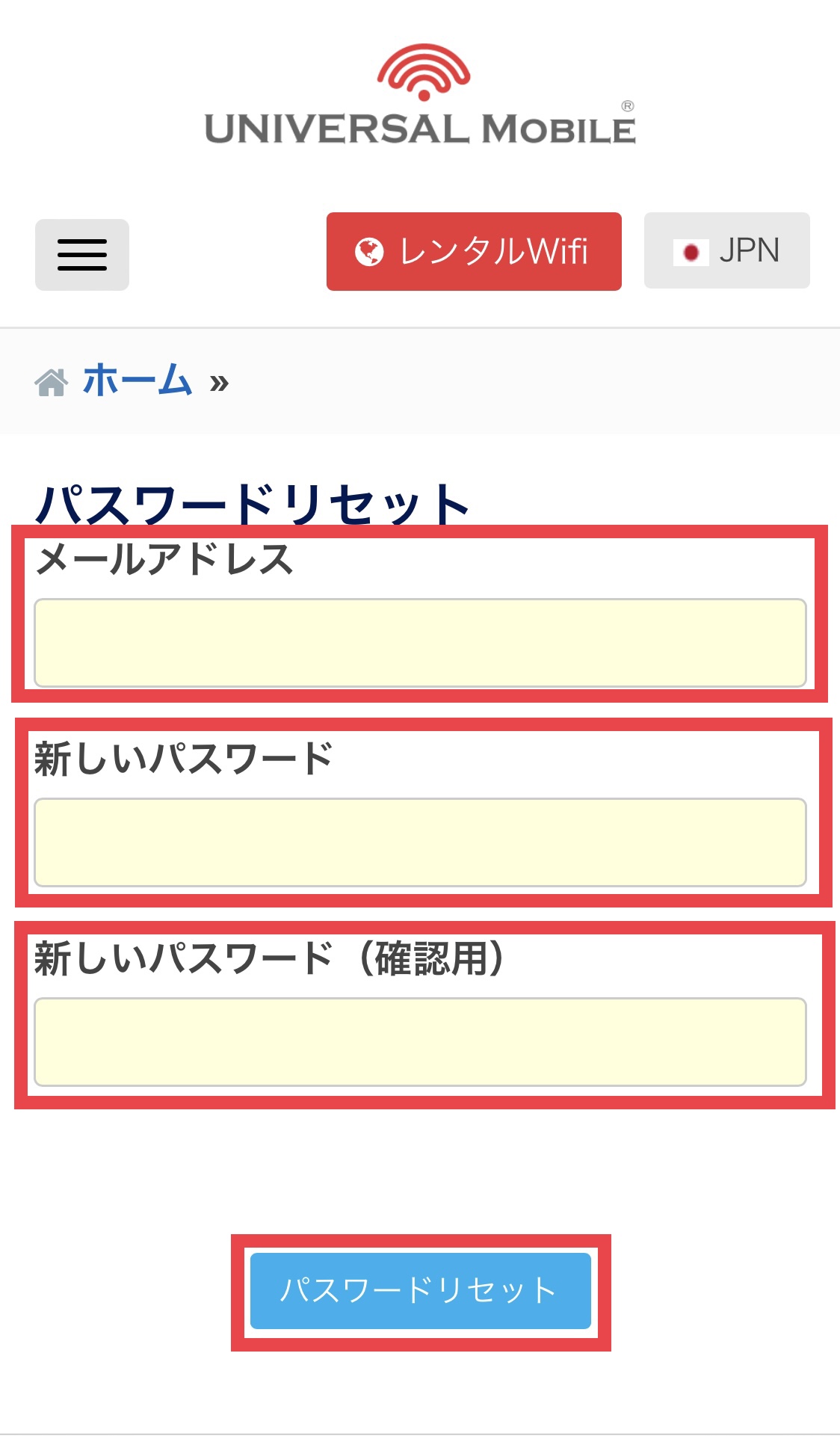
Step 4: Enter your email address and your new password, then tap "Reset Password"
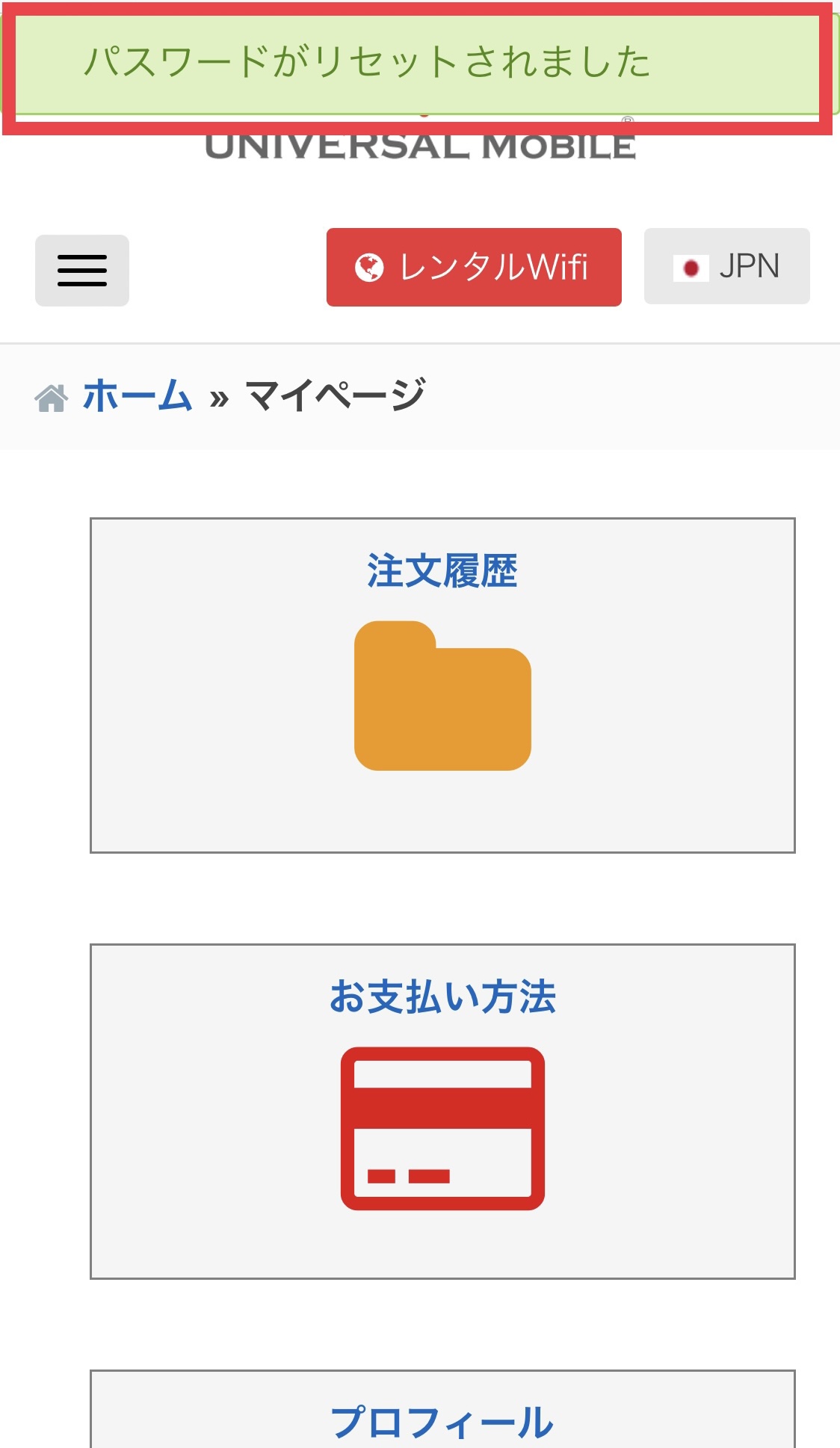
Step 5: A message saying "Your password has been reset" will appear on the screen
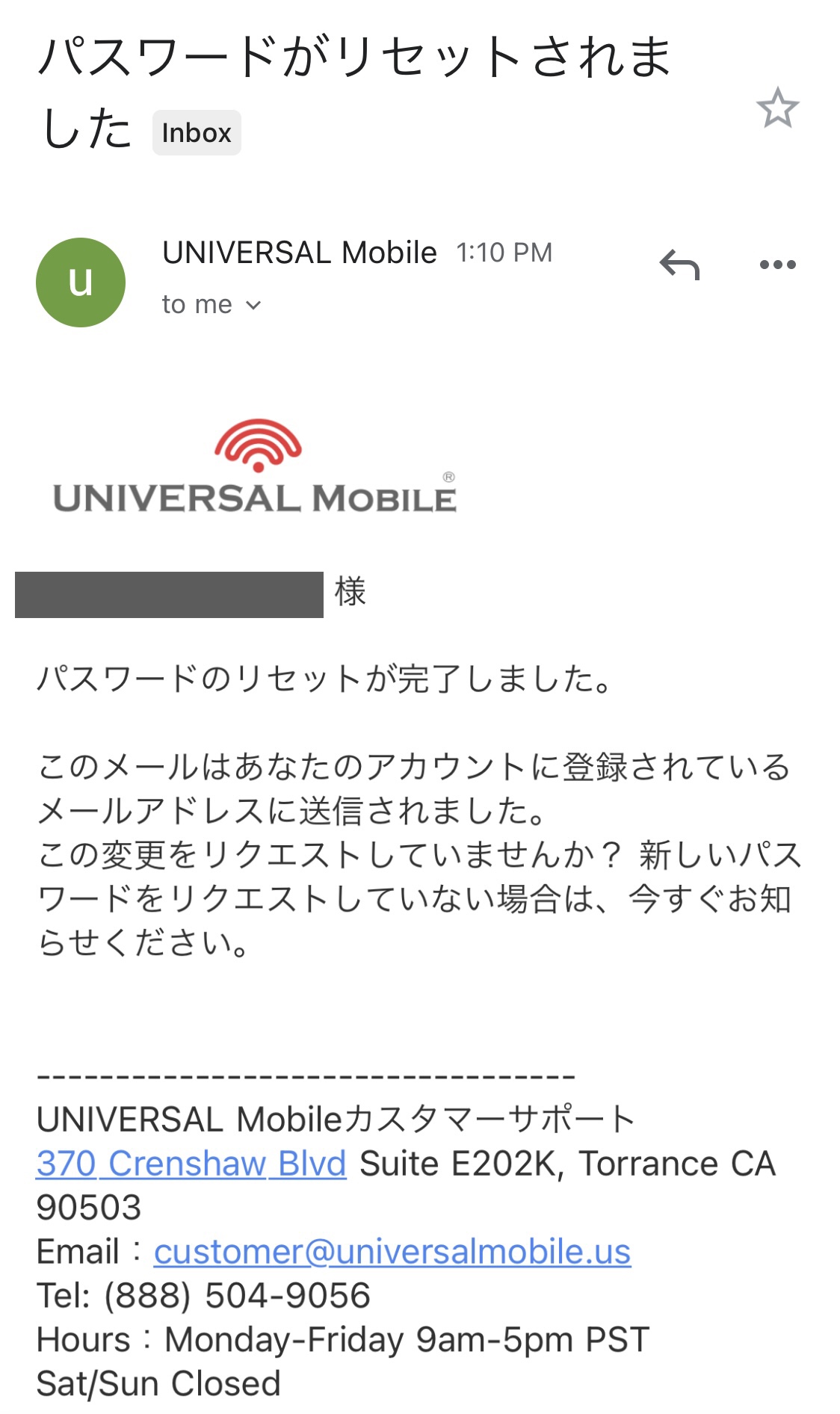
You will also receive a confirmation email ("Password Reset Completed"), indicating that the reset process is complete.
Was this article helpful?
Thank you for your feedback!