
【 Data SIM(eSIM)】 eSIM追加手順
重要 ご利用開始期限について
アクティベーション完了通知メールをお受け取り後(ご注文後)、180日以内に指定の対象国内で電波を受信し、使用を開始してください。
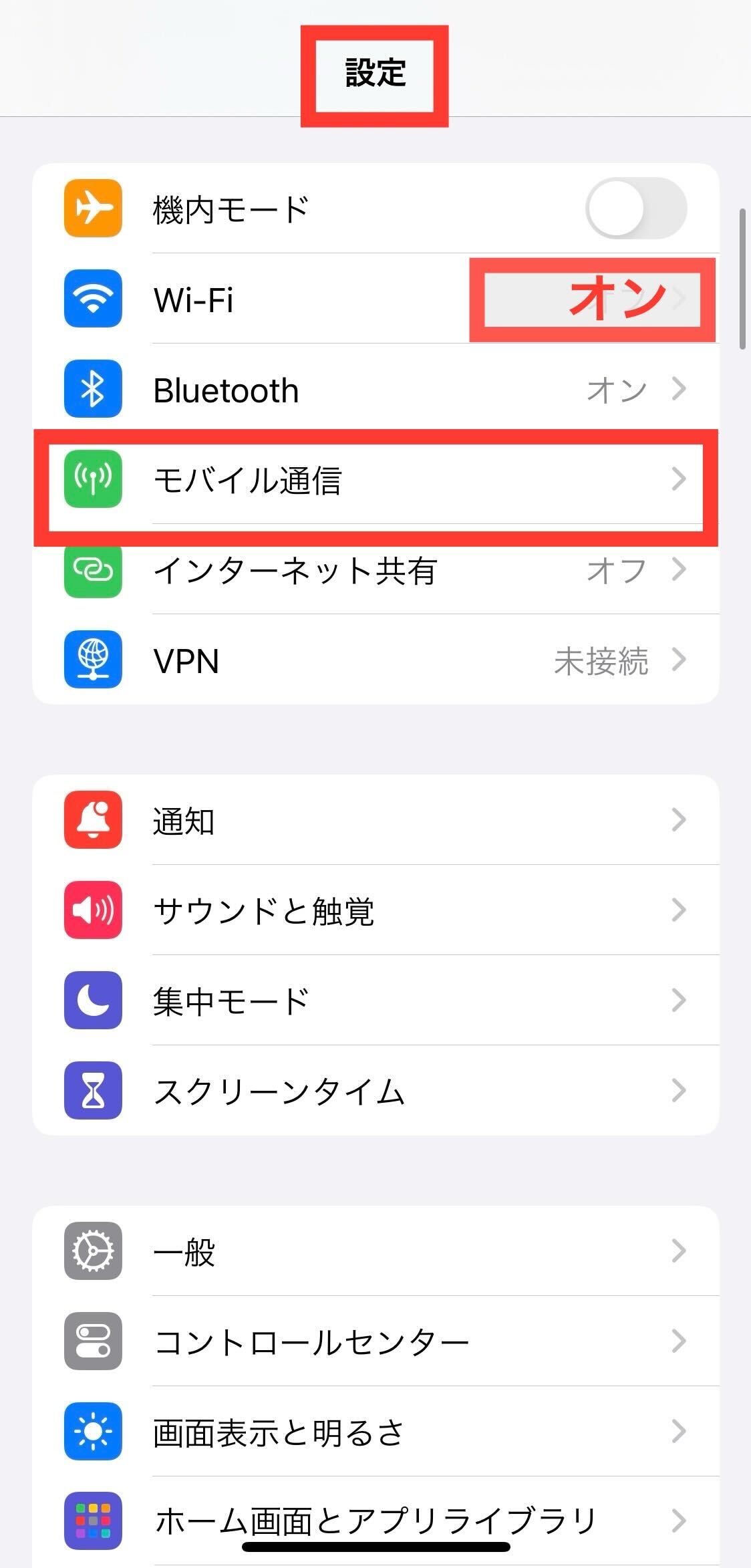
Step 1 Wi-Fiへ接続し「モバイル通信」を選択
端末をWi-Fiに接続した状態で、「設定」アプリを開き「モバイル通信」をタップします。
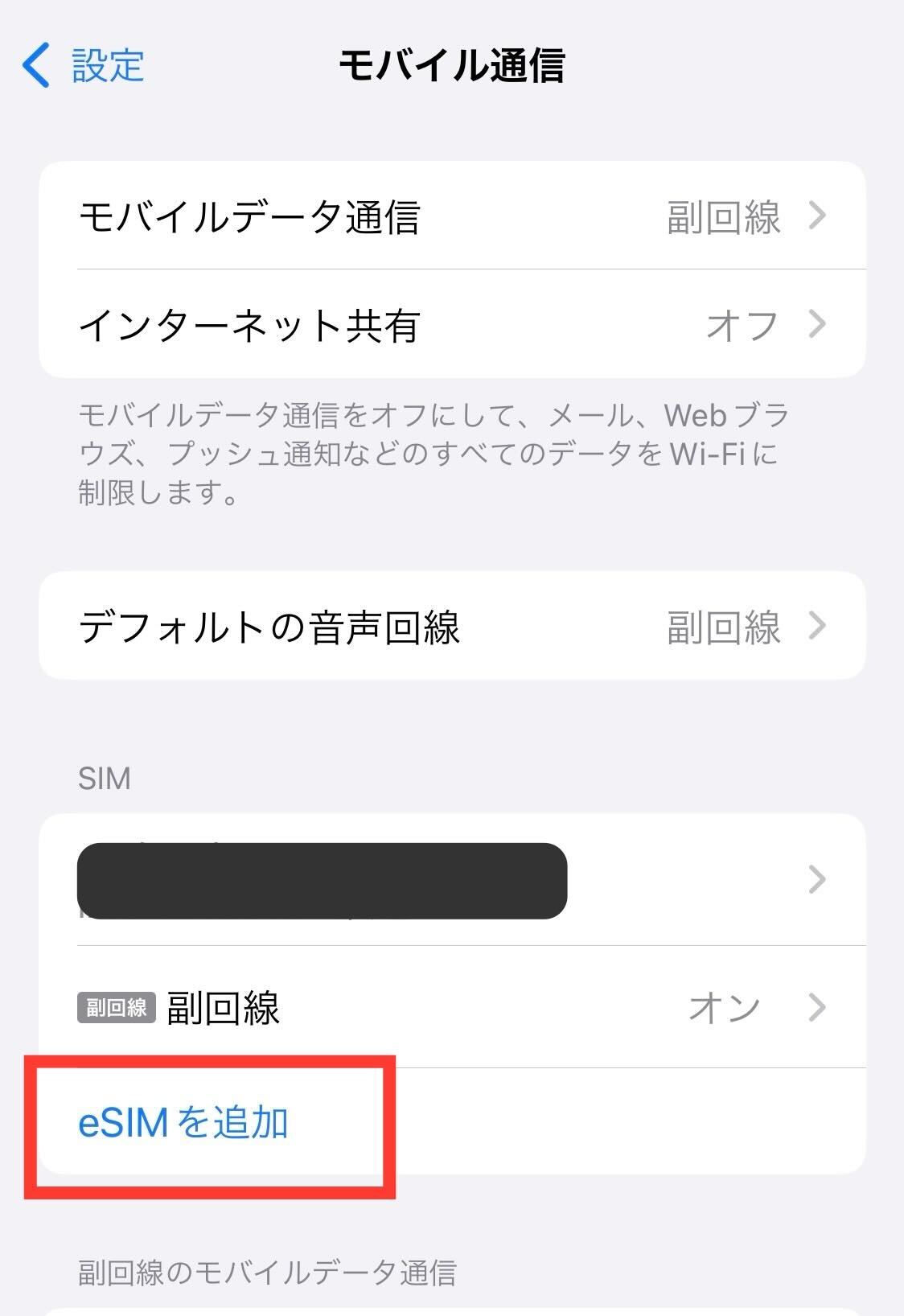
Step 2 「eSIMを追加」をタップ
モバイル通信メニュー内の「eSIMを追加」をタップします。
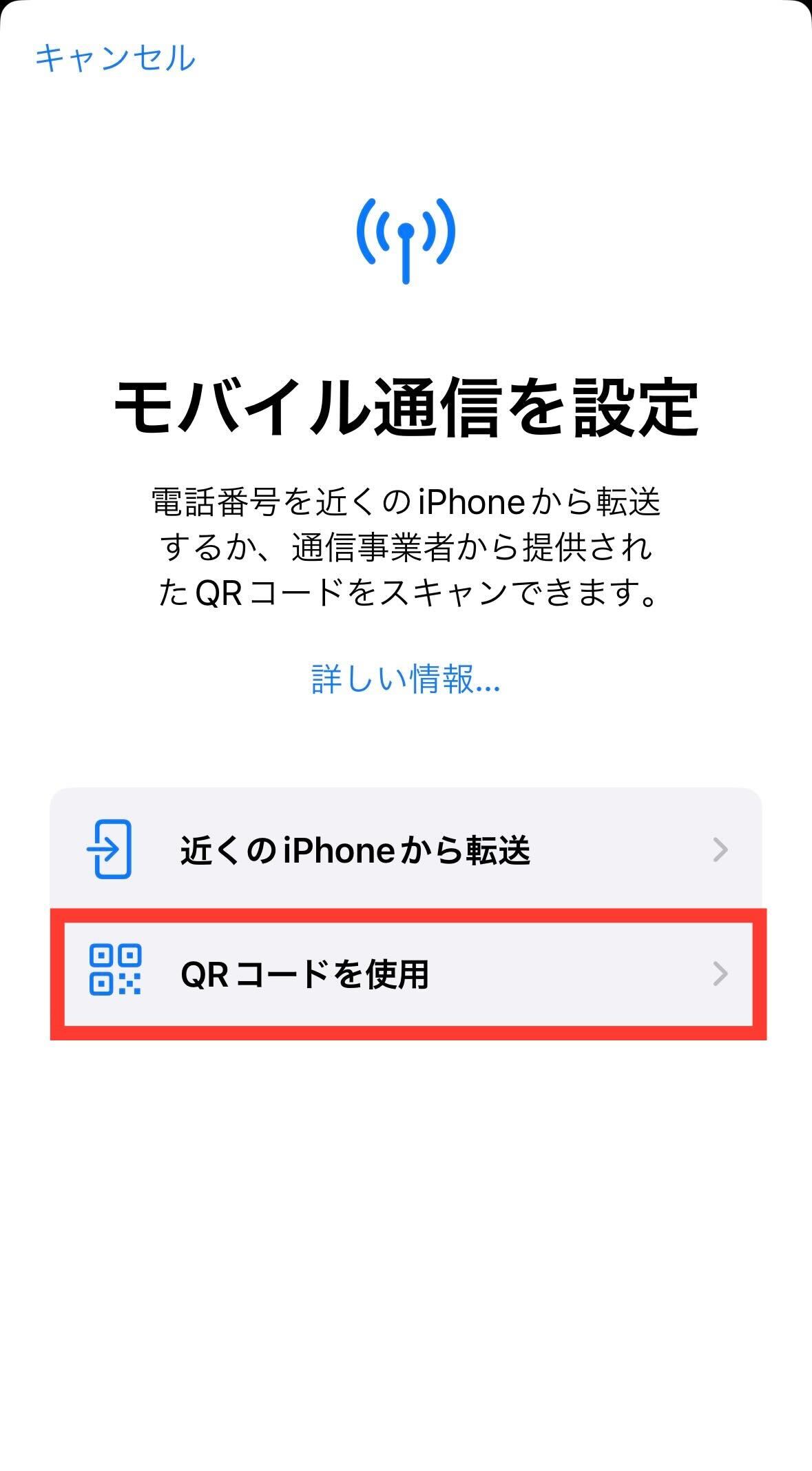
Step 3 「QRコードを使用」を選択
設定方法の選択画面で「QRコードを使用」をタップします。
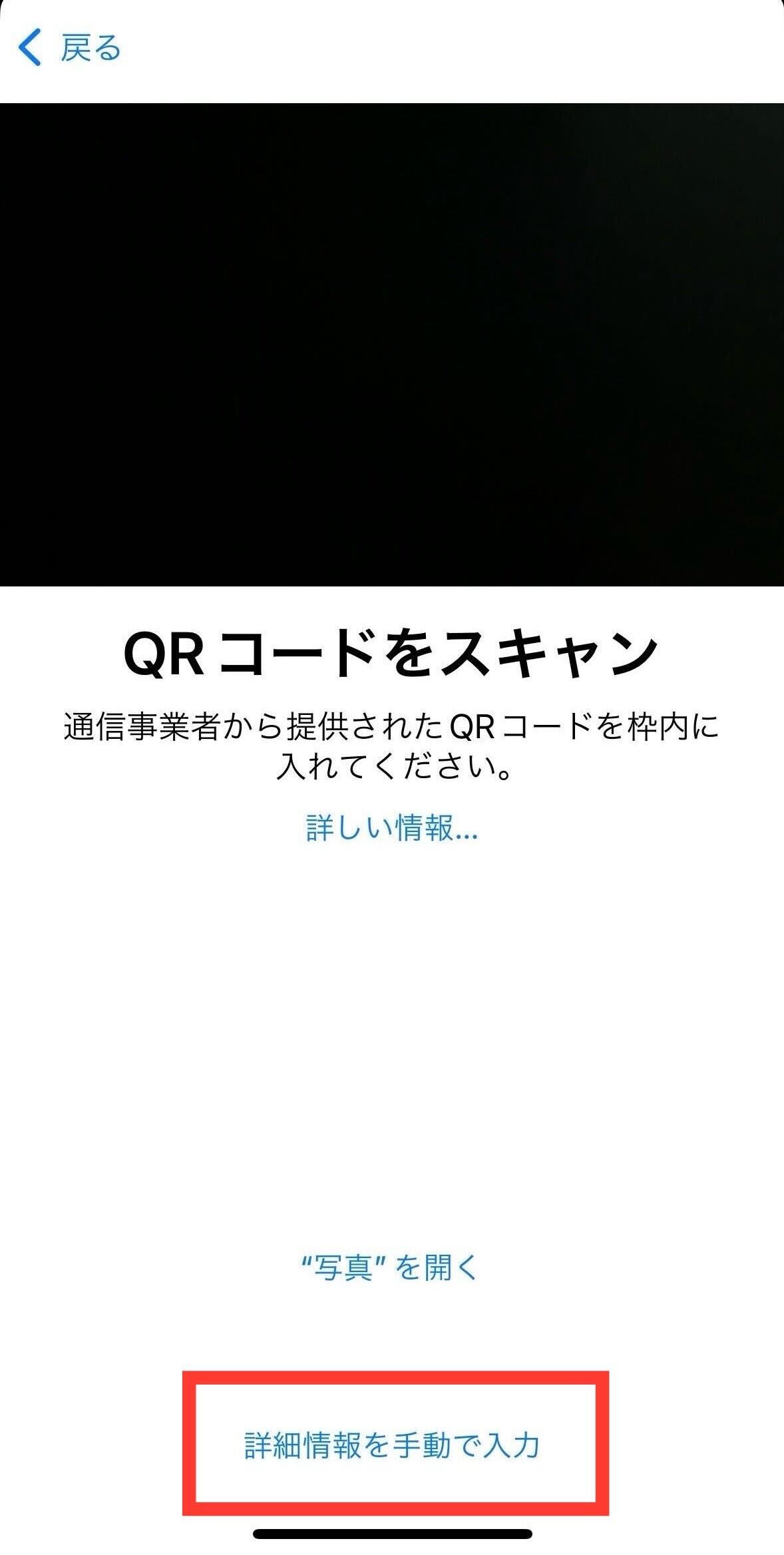
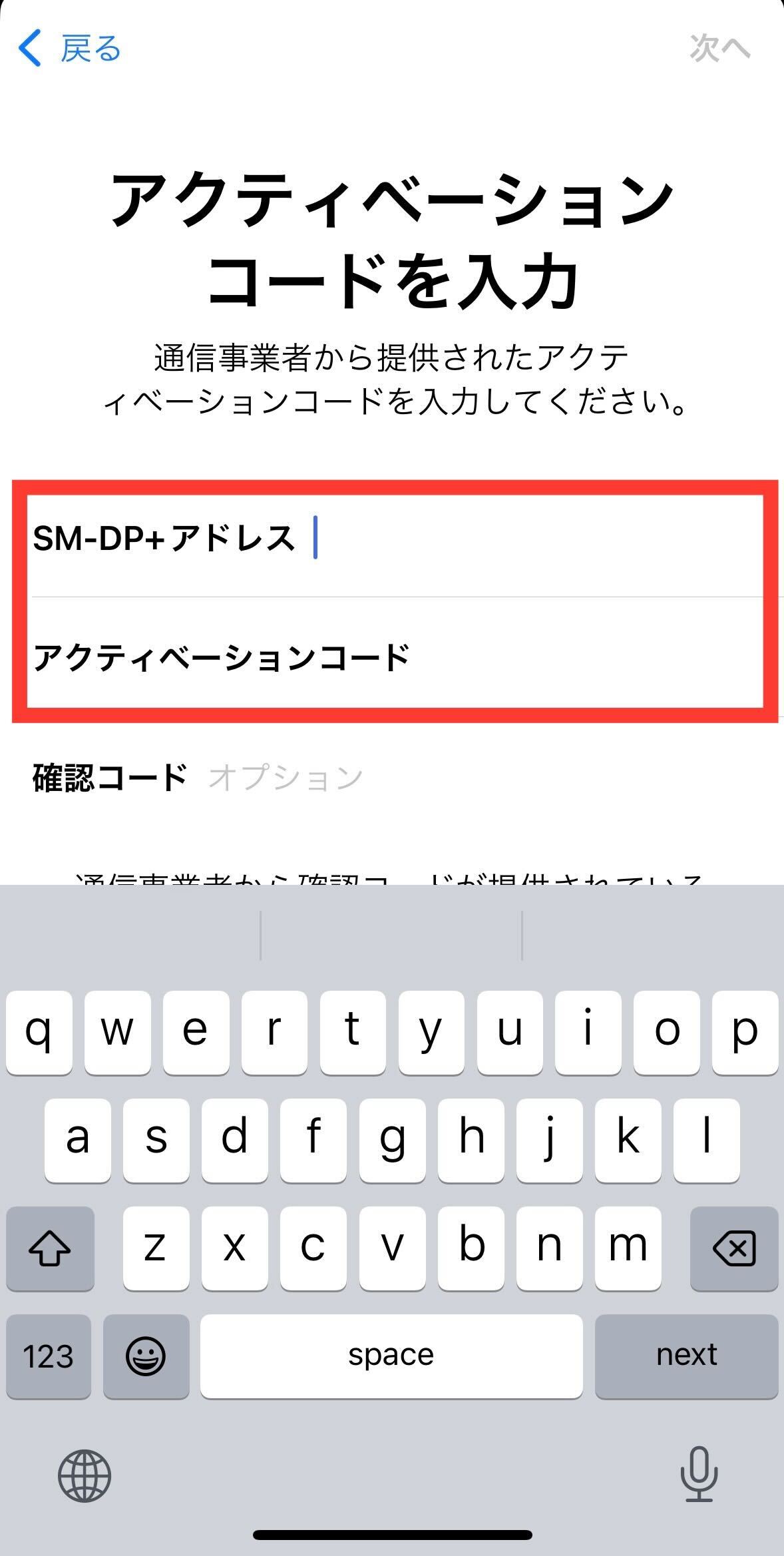
Step 4 - 5 QRコードのスキャン、または手動入力
提供されたQRコードを読み取るか、画面下部の「詳細情報を手動で入力」をタップします。
【手動入力時の項目】(メールで案内されている情報)
• SM-DP+ Address(SM-DP+アドレス)
• Activation code(アクティベーションコード)
※確認コード(Confirmation code)は入力不要です。
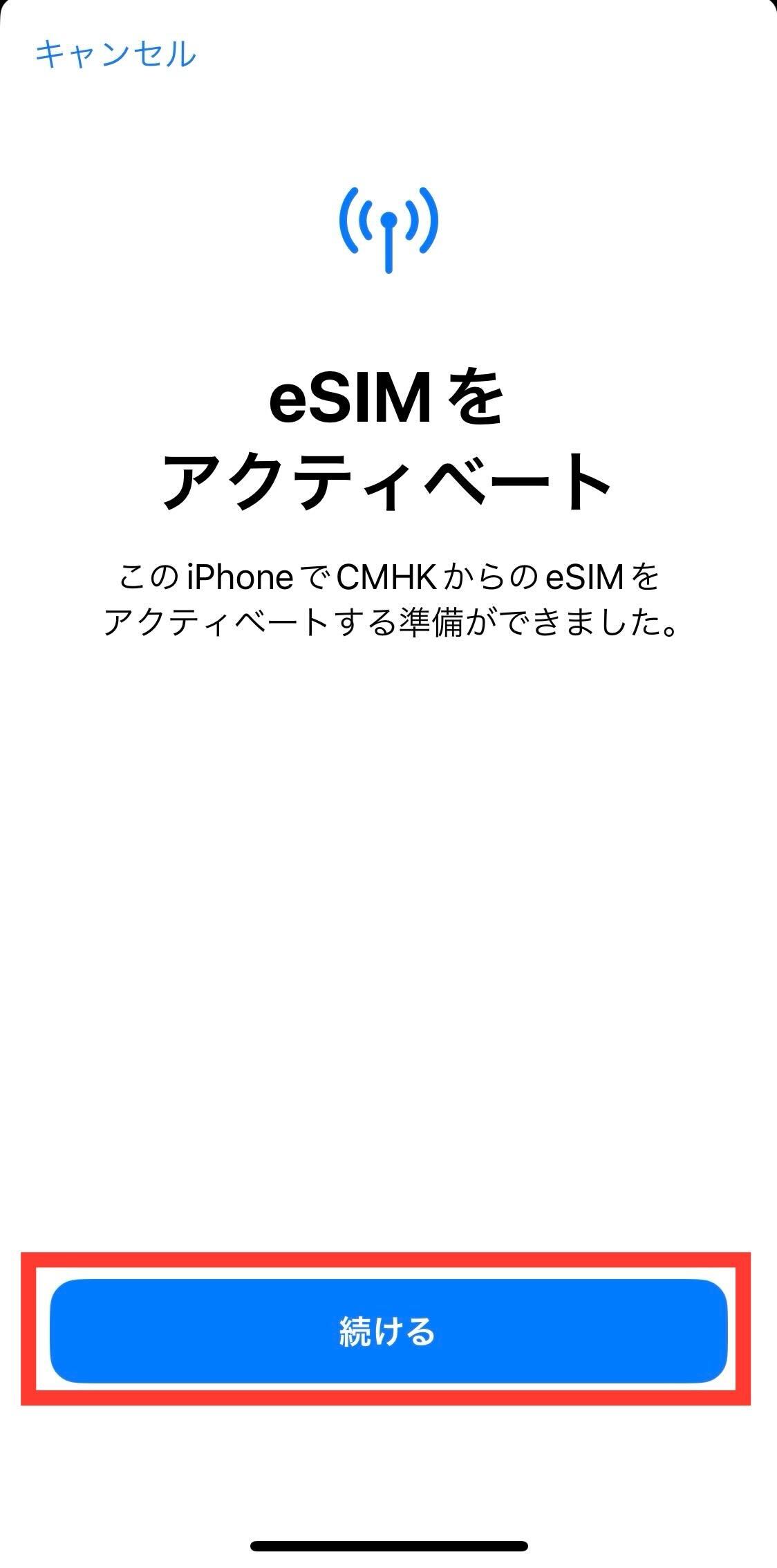
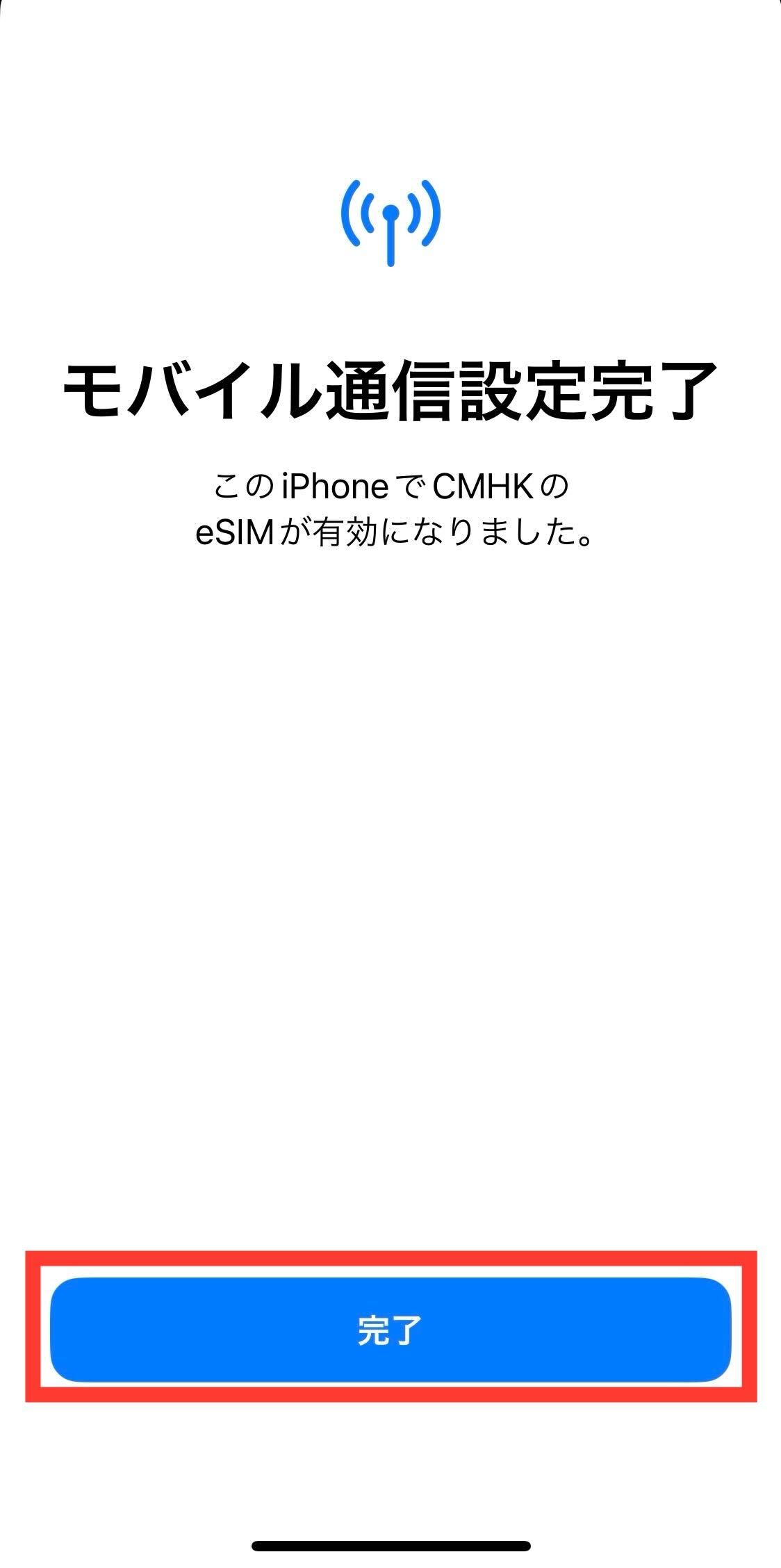
Step 6 - 7 アクティベートの実行と完了
「eSIMをアクティベート」と表示されたら「続ける」をタップします。アクティベート完了後、「モバイル通信設定完了」と表示されたら「完了」をタップします。
Step 8 eSIMの確認とデータローミングのON化
モバイル通信にeSIMが追加されていることを確認し、該当回線の[データローミング]をオンに設定してください。
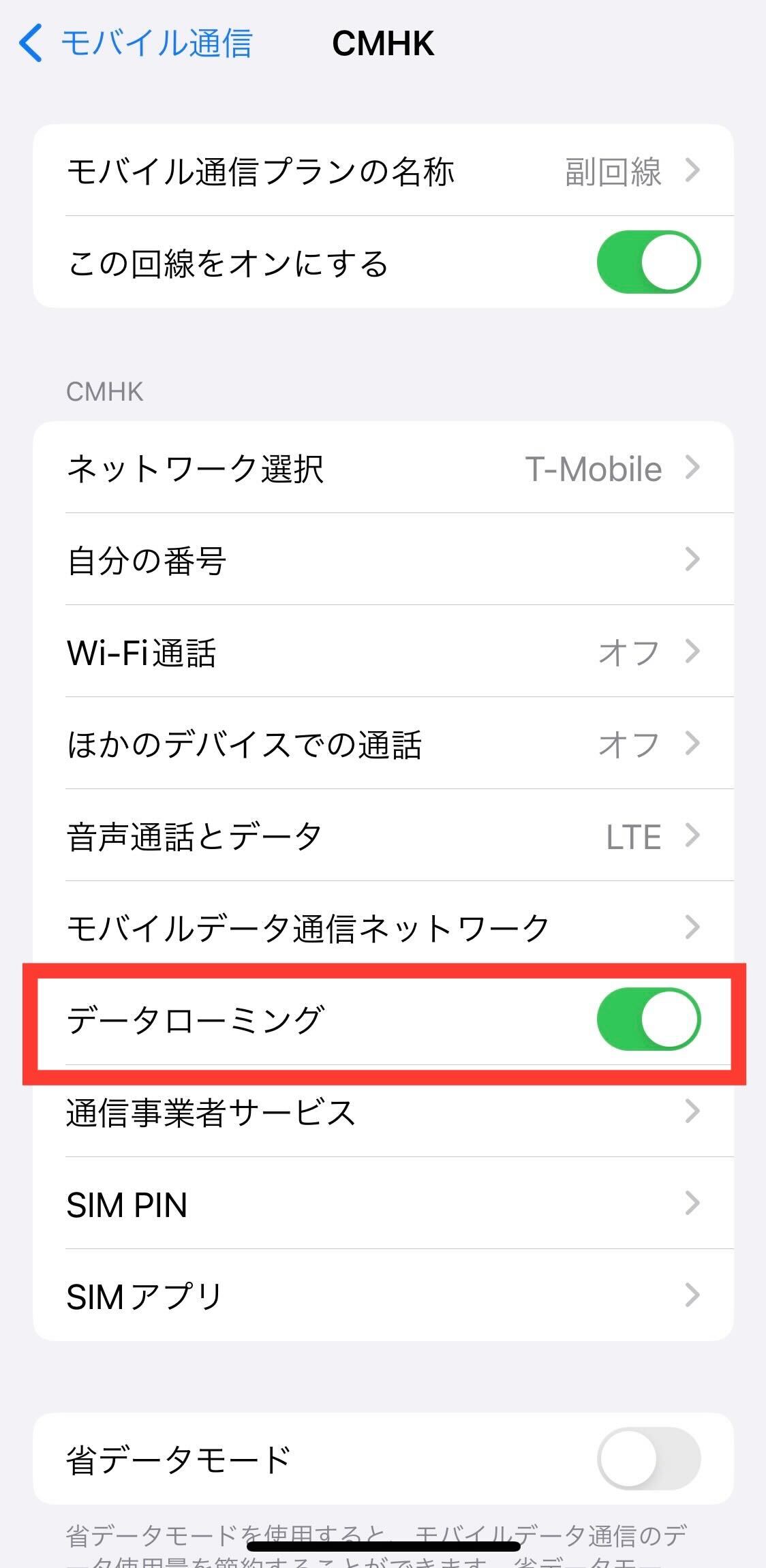
以上でeSIMの追加・設定は完了です。現地到着後、アンテナピクトが立ちインターネット接続ができるかご確認ください。
データSIM(eSIM)ご利用規約・基本ルール
- • 使用開始の定義: 現地で初めて電波を受信した日より利用開始(1日目)となります。
- • 利用期間の計算: ご利用期間には利用開始日が含まれます。一度電波を受信すると利用を中断・停止することはできません。
- • 自動解約: ご利用期間終了日を迎えると自動解約となります(解約手続きは不要です)。
- • 通話・SMS: 本商品はデータ通信専用のため、音声通話やSMS機能はご利用いただけません。
- • 通信制限: 1日の規定データ量(500MB)を超過した場合、通信速度が低速に制限されます。
【ご利用期間の例(7日間プランの場合)】
・現地で電波を受信した日: 7月1日
・実際に利用可能な期間: 7月1日 ~ 7月7日(最終日23:59まで)
この記事は参考になりましたか?
フィードバックありがとうございました!