
FAQリストに戻る 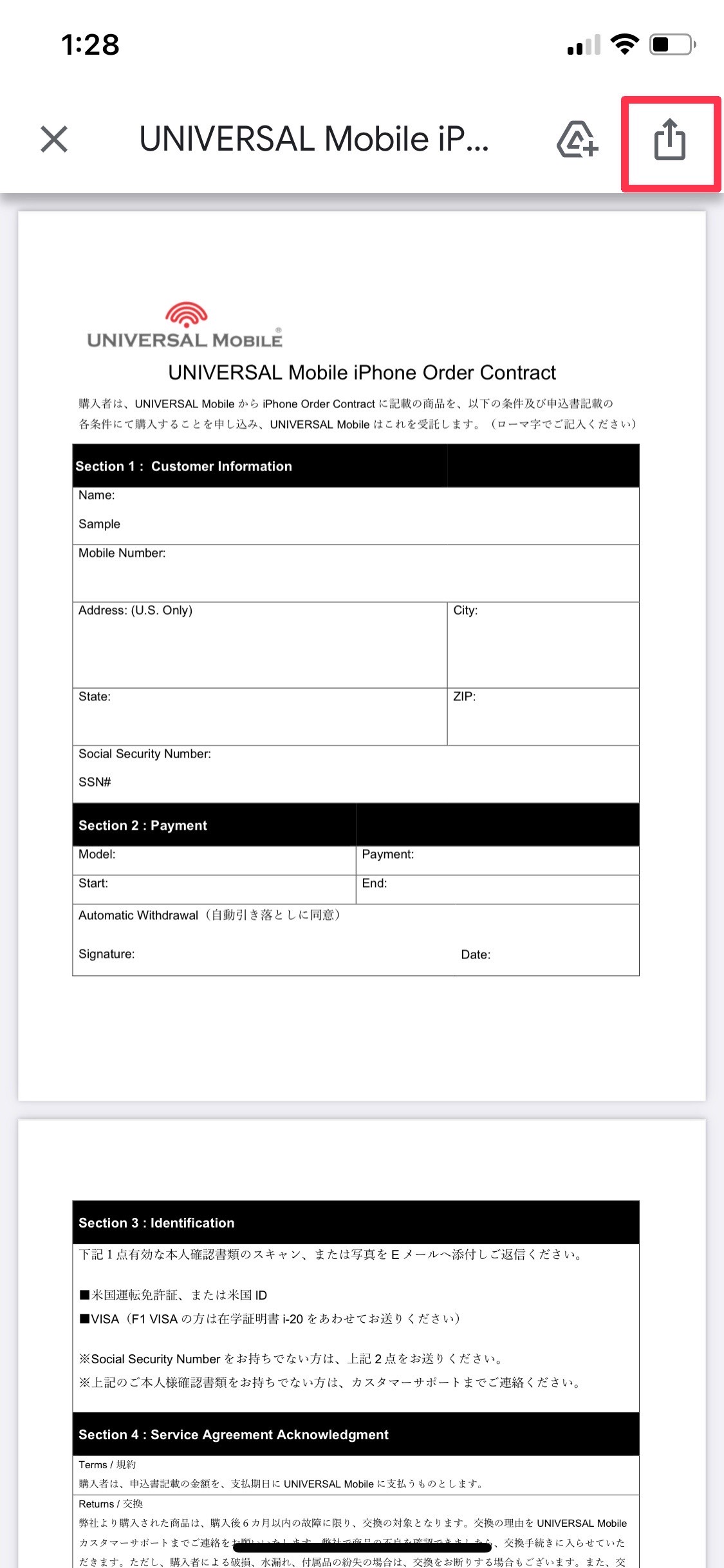
iPhone、iPad、iPod touch のマークアップ機能について
手続き・サポート iPhoneでの書類記入・署名方法(マークアップ)
iPhoneやiPadの「マークアップ機能」を使用して、「UNIVERSAL Mobile iPhone Order Contract」に直接入力・署名(サイン)をする手順をご案内いたします。
Apple公式のサポートページはこちらをご参照ください。
マークアップ機能の使用手順
STEP 1 添付ファイルを開いてペンマークをタップ
iPhone、iPad、iPod touchの「メール」アプリより該当の添付ファイルを開き、右上にあるマークをタップします。
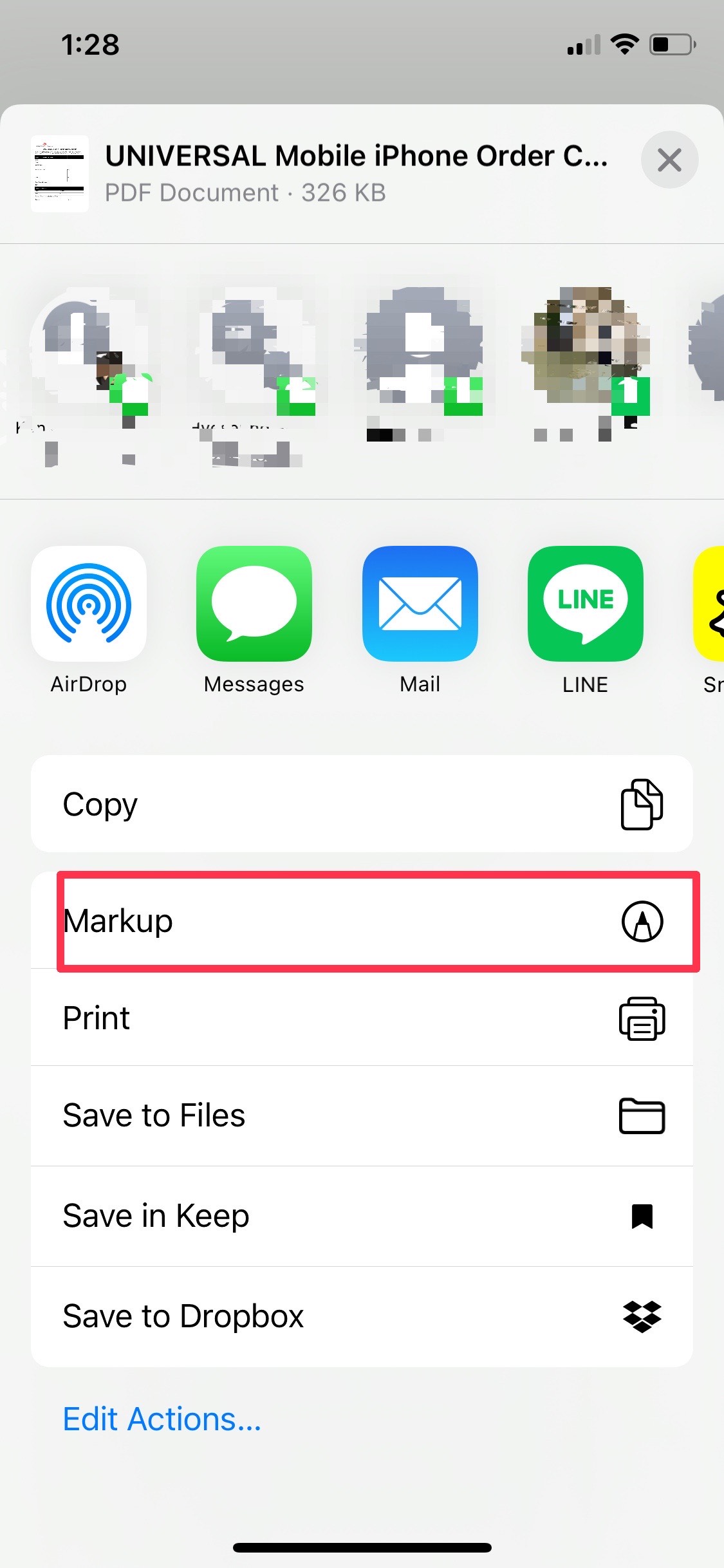
STEP 2 Markup(マークアップ)を選択
メニューから「Markup」を選択して編集画面を開きます。
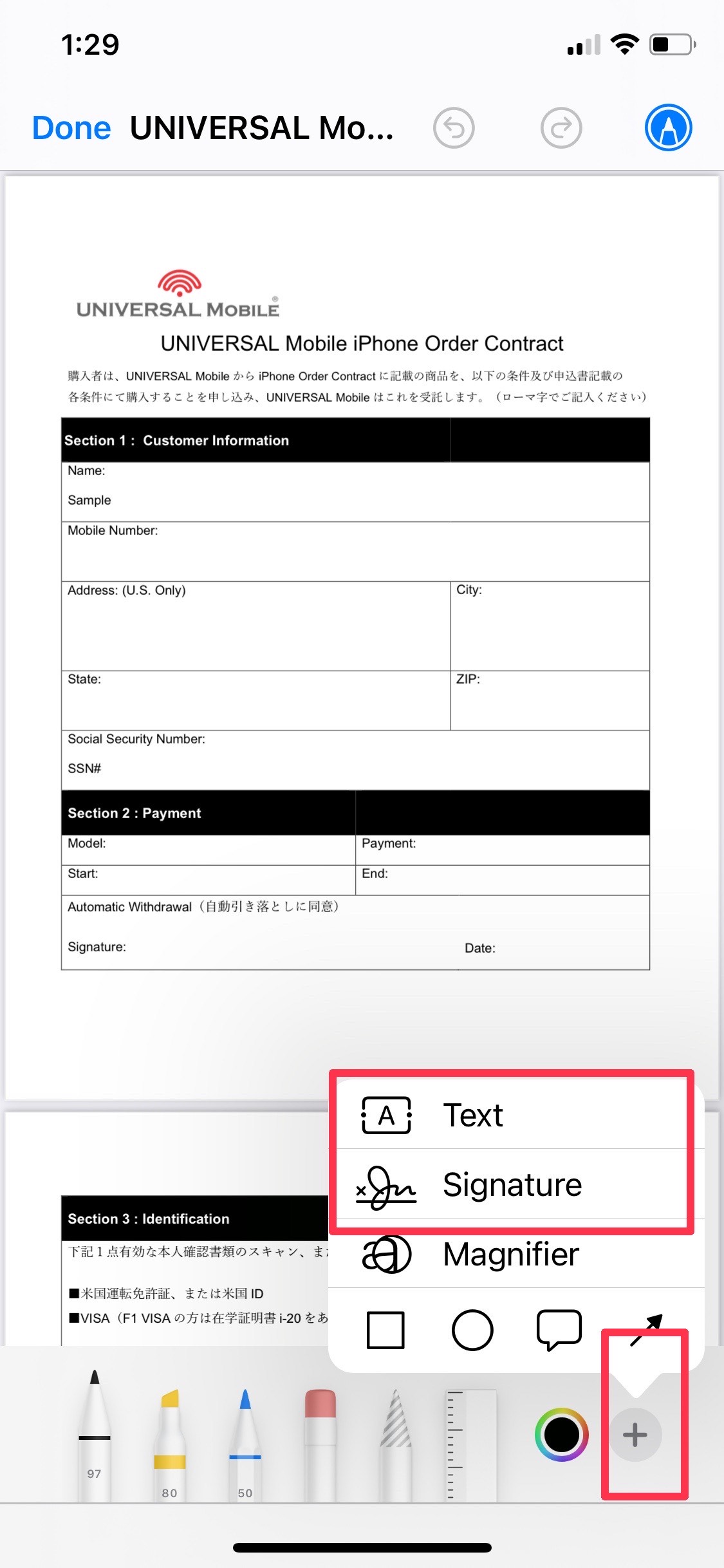
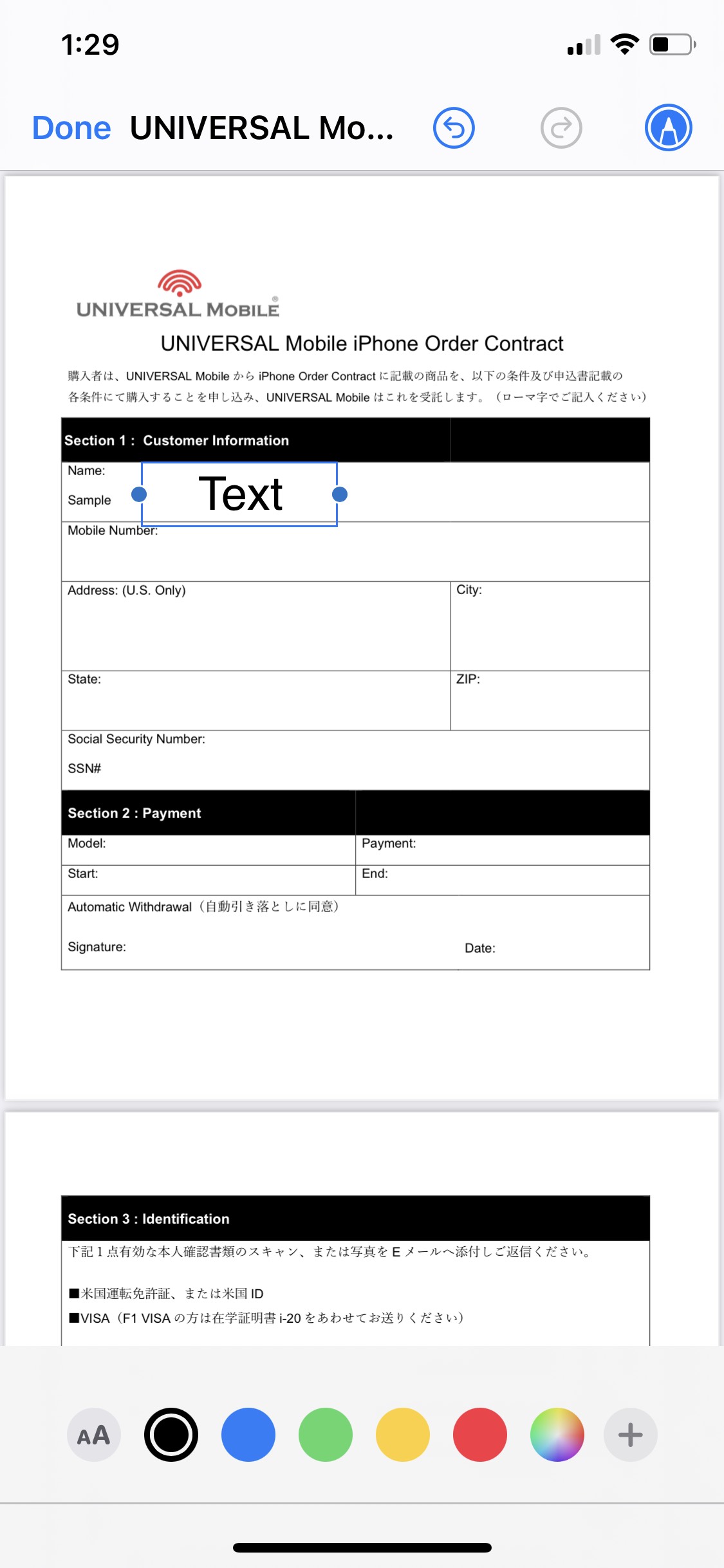
STEP 3 「+」よりテキスト入力・署名を追加
右下の「+」アイコンをタップし、「Text(テキスト)」または「Signature(署名)」を選択して書類へ記入・署名を行います。
STEP 4 メールで返信
記入・署名が完了したファイルをメールへ添付し、UNIVERSAL Mobileまでご返信ください。
この記事は参考になりましたか?
フィードバックありがとうございました!