
FAQリストに戻る
「クレジットカード決済エラーのお知らせ」が届いた
お支払い・マイページ クレジットカード情報の変更・更新
クレジットカード番号のご変更、有効期限切れ、残高不足など、さまざまな原因によりご登録のカードよりお引き落としができなかった際、メールにてご案内をお送りしております。
カード情報の変更・更新手続き
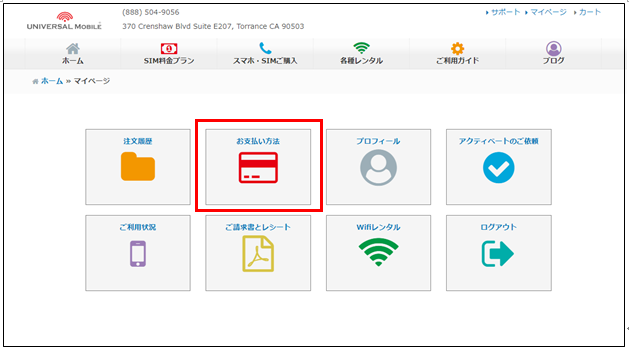
お支払いのカード情報にご変更がある場合は、UNIVERSAL Mobile Webサイト右上のマイページへログインの上、「お支払方法」よりカード情報のご変更をお願いいたします。
NOTE カード情報や残高に問題がないにもかかわらずお知らせメールが届いた場合も、システム上のアップデートのため、一度カード情報の再登録手続きをお願いいたします。
この記事は参考になりましたか?
フィードバックありがとうございました!